



Bushnell Launch Pro SimBox Home Golf Simulator
Original price was: $4,500.00.$3,900.00Current price is: $3,900.00.
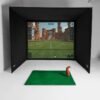
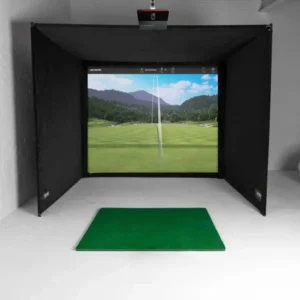
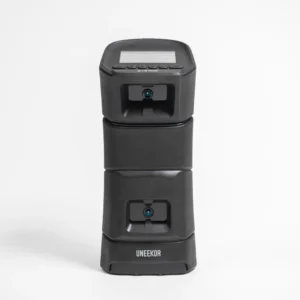
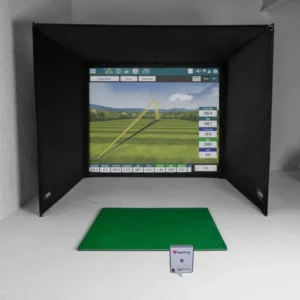
Bring the golf course home with the Bushnell Launch Pro SimBox Home Golf Simulator Full Package. Designed for golfers who want realistic indoor golf practice, detailed shot data, and an immersive home golf simulator experience, this package combines the Bushnell Launch Pro launch monitor with a premium SimBox enclosure, impact screen, and GolfBays Standard Hitting Mat.
Bushnell Launch Pro SimBox Home Golf Simulator Full Package
Transform your available space into a dedicated indoor golf environment with the Bushnell Launch Pro SimBox Home Golf Simulator Full Package. Designed for golfers who want to practice, analyze their swing, and enjoy virtual golf at home, this complete simulator package combines a Bushnell Launch Pro launch monitor with a premium SimBox enclosure, impact screen, and professional-style hitting mat.
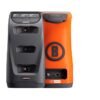
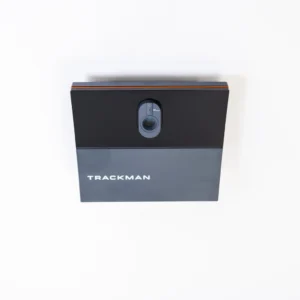
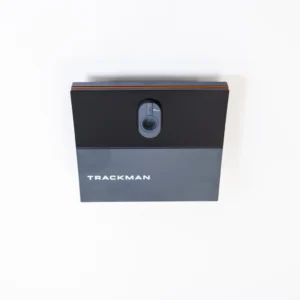
At the center of the system is the Bushnell Launch Pro, a camera-based launch monitor designed to capture important golf performance data. Depending on the software configuration, golfers can access measurements including ball speed, launch angle, horizontal launch angle, total spin, backspin, side spin, spin axis, club speed, smash factor, club path, and angle of attack. Bushnell states that club data requires a compatible software subscription.
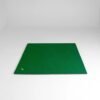
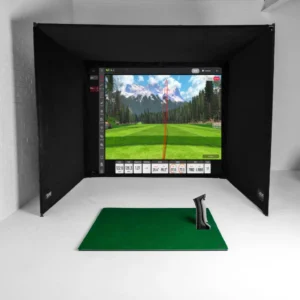
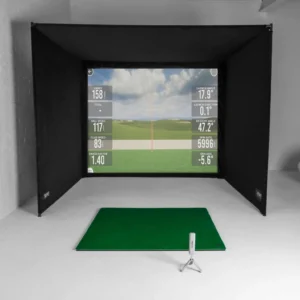
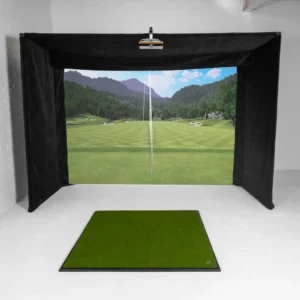
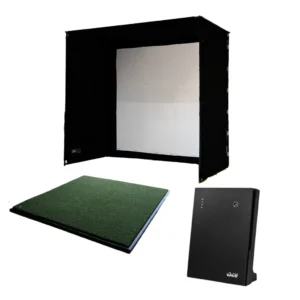
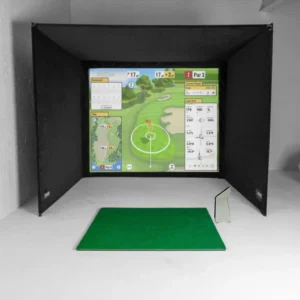
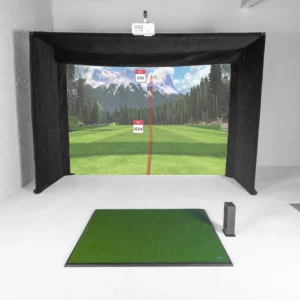
The included SimBox enclosure and premium impact screen create a dedicated hitting environment for indoor golf practice and simulator gameplay. The package also includes a GolfBays Standard Hitting Mat, giving golfers a stable surface for repeated practice sessions.
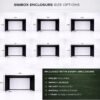
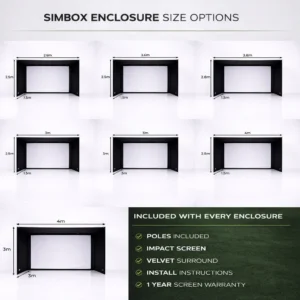
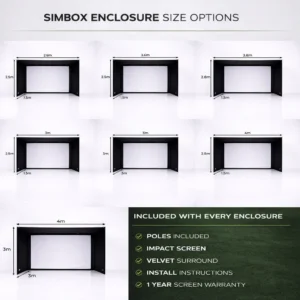
Several enclosure sizes are available, ranging from approximately W 2.6m × H 2.5m × D 1.5m to W 4m × H 3m × D 3m. This makes it easier to configure your home golf simulator around the available space.
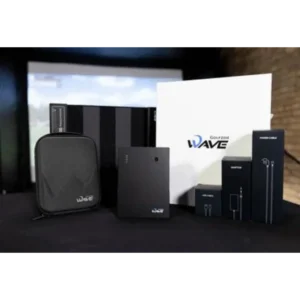
The package includes the Bushnell Launch Pro indoor/outdoor unit, GolfBays Standard Hitting Mat, PRO+ Premium Enclosure Screen, SimBox Enclosure, USB Cable, and Quick Start Guide.
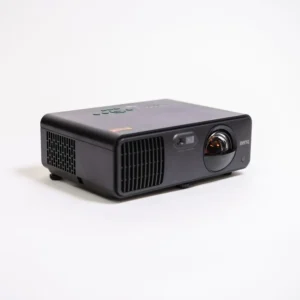
A projector, projector mount, artificial putting turf, and gaming PC are not included but can be added to complete your simulator room.
Whether you’re creating a garage golf simulator, indoor golf practice space, golf simulator room, or premium home golf simulator, the Bushnell Launch Pro SimBox package gives you a strong foundation for year-round golf.
Choose your enclosure size from the product images and enter your selected size in the checkout message box.
What’s Included
Bushnell Launch Pro SimBox Package
- Bushnell Launch Pro indoor/outdoor launch monitor
- GolfBays Standard Hitting Mat
- PRO+ Premium Enclosure Screen
- SimBox Golf Simulator Enclosure
- USB Cable
- Quick Start Guide
Available Enclosure Sizes
Choose your preferred size from the product images:
- W 2.6m × H 2.5m × D 1.5m
- Up to W 4m × H 3m × D 3m
Important: Select your desired size from the product photos and write the size in the small message box at checkout.
What’s Not Included
The following items are optional and can be added depending on your preferred setup:
- Golf simulator projector
- Projector mount
- Artificial putting turf
- Gaming PC
- Additional simulator accessories
This modular approach lets you build your golf simulator setup around your room dimensions, equipment preferences, and budget.
Bushnell Launch Pro Features
The Bushnell Launch Pro is designed to provide detailed golf shot information for practice and simulation.
Ball Data
- Ball Speed
- Launch Angle
- Side / Horizontal Angle
- Total Spin
- Backspin
- Side Spin
- Spin Axis
Club Data
- Club Speed
- Efficiency / Smash Factor
- Club Path
- Angle of Attack
Bushnell’s official specifications confirm these ball and club measurement capabilities, with club-data functionality dependent on the applicable software subscription.
Why Choose This Home Golf Simulator?
Practice Golf Year-Round
Turn your home, garage, basement, or dedicated golf room into an indoor practice environment.
Detailed Swing Feedback
Use launch and club data to better understand ball flight and swing performance.
Flexible Enclosure Sizes
Select an enclosure size based on your available space rather than being restricted to a single configuration.
Immersive Indoor Golf
Add a compatible projector and gaming PC to create a complete virtual golf environment.
Built for Home Golf
This package is suitable for golfers looking for a home golf simulator, indoor golf simulator, garage golf simulator, or golf simulator room setup.
Build Your Golf Simulator Around Your Space
Every golf simulator room is different. Ceiling height, room width, depth, projector position, hitting position, and golfer clearance should all be considered before purchasing.
For the best experience, measure your available space carefully before selecting your enclosure size. If you’re unsure which configuration is appropriate, contact Blue One Golf Studio before ordering so your setup can be matched to your available space.
Confidence & Purchase Assurance
At Blue One Golf Studio, we understand that a golf simulator is a significant investment. That’s why we focus on providing clear product information and helping customers choose equipment that fits their intended golf simulator setup.
You can purchase this Bushnell Launch Pro SimBox Home Golf Simulator Full Package with confidence, knowing exactly what is included and what optional equipment may be required to complete your setup.
For customers creating a new home golf simulator, indoor golf simulator, garage golf simulator, or dedicated golf simulator room, our goal is to make the buying process straightforward from equipment selection through setup planning.
Frequently Asked Questions
1. What is included with the Bushnell Launch Pro SimBox Home Golf Simulator?
The package includes the Bushnell Launch Pro indoor/outdoor unit, GolfBays Standard Hitting Mat, PRO+ Premium Enclosure Screen, SimBox Enclosure, USB cable, and Quick Start Guide.
2. Does this golf simulator include a projector?
No. The projector is an optional addition. A projector and suitable mount can be added depending on your preferred golf simulator configuration.
3. Is a gaming PC included?
No. The gaming PC is not included. A suitable PC can be added depending on the simulator software you plan to use.
4. Can I choose the golf simulator enclosure size?
Yes. Multiple SimBox sizes are available. Choose your preferred size from the product images and enter the size in the small message box during checkout.
5. Is the Bushnell Launch Pro suitable for indoor golf?
Yes. Bushnell specifically supports indoor golf simulation with the Launch Pro. Bushnell also describes the Launch Pro as outdoor ready for range and course use.
6. What data does the Bushnell Launch Pro measure?
The Launch Pro provides ball measurements such as ball speed, launch angle, horizontal launch angle, total spin, backspin, side spin, and spin axis. It can also provide club speed, smash factor, club path, and angle of attack through the applicable software functionality.
7. Can I use this as a home golf simulator?
Yes. The SimBox enclosure, impact screen, hitting mat, and launch monitor provide the core components for creating a home golf simulator. A projector and gaming PC can be added to create a more complete simulation environment.
8. Is this suitable for a garage golf simulator?
Yes. The available enclosure sizes make the system suitable for many dedicated golf simulator rooms and garage configurations, provided the available dimensions and ceiling height are appropriate.
9. Does the Launch Pro require software?
Golf simulation requires compatible software. Bushnell currently offers FSX software options, while third-party software availability and requirements should be checked before purchase.
10. How do I choose the right simulator size?
Measure the available width, height, and depth of your intended golf simulator room first. Then compare those measurements with the available SimBox enclosure sizes. If you’re unsure, contact Blue One Golf Studio before ordering.
Be the first to review “Bushnell Launch Pro SimBox Home Golf Simulator”
Related products
Golf Simulator Packages

Golf Simulator Packages
Reviews
There are no reviews yet.